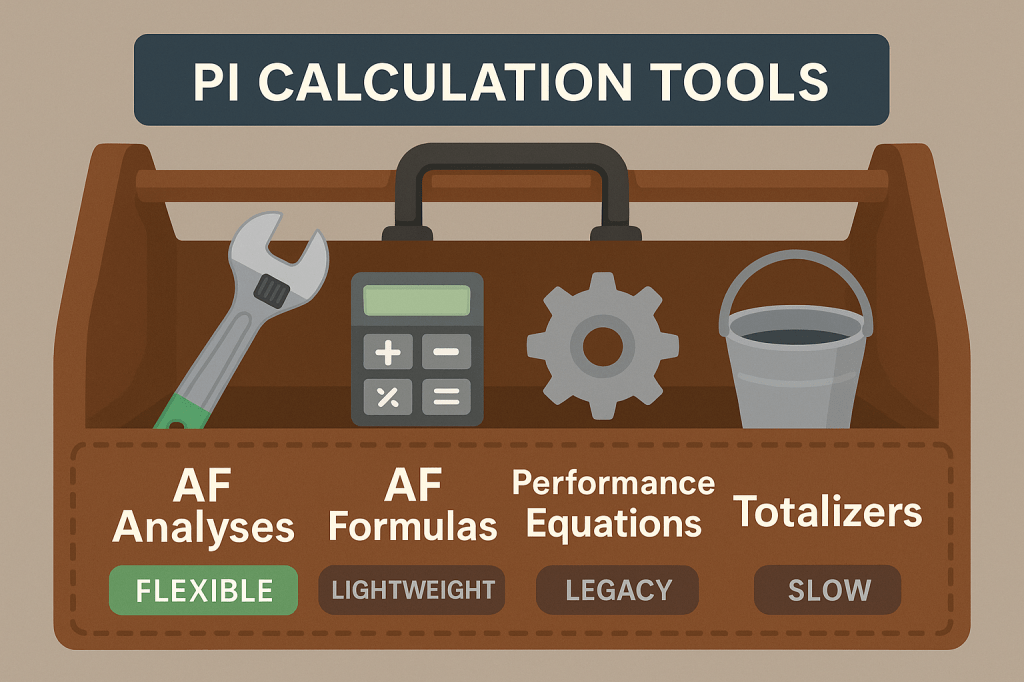
If you’ve worked in a PI System long enough, you’ve probably wrestled with slow or unreliable calculations at some point. Between AF Formulas, PI Performance Equations, Totalizers, and AF Analyses, it can be hard to know which tool to use or why your system might be slowing down.
Let’s untangle these options, their tradeoffs, and what we recommend for keeping your calculations clean, fast, and maintainable.
📚 The PI Calculation Tools at a Glance
| Tool | Where It Runs | Good For | Limitations |
|---|---|---|---|
| AF Formula Data Reference | AF Server | Simple static or on-demand calculations | Can’t output to tags, no scheduling |
| PI Performance Equations (PEs) | PI Data Archive | Real-time or scheduled calculations at archive level | Legacy, hard to manage, limited debugging |
| PI Totalizers | PI Data Archive | Summing or averaging values over time | Poor performance, limited flexibility |
| AF Analyses | AF Analytics Service | Flexible, scheduled or event-triggered calcs | Can impact performance if overused |
🔍 Pros & Cons
AF Formulas
✅ Great for lightweight, real-time, or ad-hoc calculations
❌ Can’t write to a PI Tag
❌ No history, no scheduling – good for display, not storage
Use when: You need a quick computed value for a display or report based on current values.
PI Performance Equations
✅ Real-time archive-level calcs, writes to tags
✅ Can run continuously without AF
❌ Hard to troubleshoot
❌ Legacy tool with limited visibility
❌ Configuration spread out, harder to track
Use when: You’re stuck with a legacy system otherwise, migrate to AF Analyses where possible.
PI Totalizers
✅ Simple way to roll up values (sums, averages, counts)
❌ Limited math and logic
❌ Cumbersome to configure
❌ Often better handled in AF or upstream systems
Use when: You need basic totals and don’t have AF available.
AF Analyses
✅ Modern, flexible, integrates with AF Templates
✅ Can output to PI Tags or be ad-hoc
✅ Supports scheduling and event triggers
✅ Easier to configure, test, and manage
❌ Heavy use on large, fast-scanning systems can hurt performance
❌ No native version control or rollback
Use when: You need reliable, scalable calcs tied to your AF asset models and you’re mindful of load balancing and performance.
🛑 Common Performance Issues
- Too many scheduled analyses running too frequently — can overload the AF Analysis Service
- Overusing PEs and Totalizers — decentralized, harder to track, and taxing on the archive
- AF Formulas misused for time-series or stored values — they’re on-demand only!
- Unmonitored or undocumented calculation logic changes — causes unexpected performance hits and surprises during audits
✅ Our Recommendations
- New projects: Favor AF Analyses for flexibility, visibility, and long-term maintainability
- AF Formulas: Migrate away from AF Formulas in favor of AF Analyses.
- Legacy-only systems: Migrate away from PEs and Totalizers when possible
- Heavy calculations: Offload upstream (PLC/DCS) or to external calculation engines if AF Analysis Service load becomes a concern
- Monitor your runtime performance:
- Use PI System Management Tools and AF Client to check analysis queue health
- Use Osprey to track runtime metrics for AF Analyses like longest-running or timed-out analyses to quickly pinpoint bottlenecks without digging through logs
💡 The Bottom Line
PI offers a lot of calculation options and while that flexibility is great, it can lead to performance issues and management headaches if not handled carefully. Knowing where each tool shines (and where it struggles) helps you build cleaner, more reliable systems.
And when you need to track how those calculations connect to your PI Tags, AF Attributes, and Displays and see how performance changes over time, Tycho Data Osprey gives you a clear, real-time view of your system’s moving parts and calculation health.
Ready to See It in Action?
If your team depends on PI System data to keep your plant running safely and efficiently. Osprey is built for you.
 Tycho Data